- Saved passwords are now encrypted by Windows for your user on this PC. After the upgrade, delete old copies of your Set folder: they still hold passwords in plain text.
- STOP and Close Trade are safer. An order already on its way when you press STOP or Close Trade is no longer sent afterwards. A 2 Leg Lock pair is never left with one leg. After Close Trade the tab waits the full 5 seconds before it trades again.
- Grid Arbitrage: Close Trade now lights up as soon as a leg is open, so you can end a running Grid from Horizon (Close Trade, then STOP).
- Session P&L now also counts MT4 and Grid Arbitrage tabs, per tab, from your broker's own close answers (gross, before commission and swap).
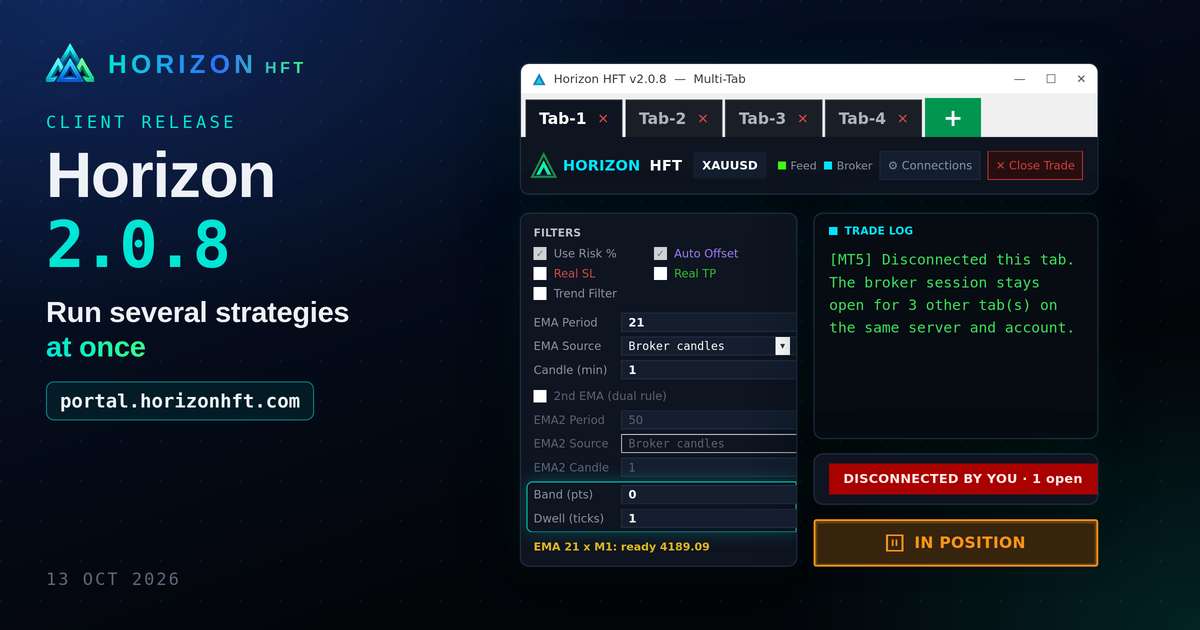
- Trend Filter: Band and Dwell now work with a single EMA, so a price that hugs the EMA no longer opens a basket on every touch.
- Disconnects: pressing Disconnect Broker with positions open shows a red banner and alert. MT4/MT5 drops reconnect within seconds. Tabs on the same broker account share one connection.
- Each fill now shows its slippage and timing in the log. Grid and 2 Leg Lock warn in red when the broker doesn't confirm a close.
Full notes: README-UPGRADE.txt in the download.
What changed on screen
No control was added, renamed, moved or removed. The changes are control states, tooltips, one banner and Trade Log text.
Trading tab: header bar

- New red banner (right of the header) when you click Disconnect Broker with positions open: "DISCONNECTED BY YOU · N open". It goes away on Connect Broker.
Trading tab: Filters / Trend Filter
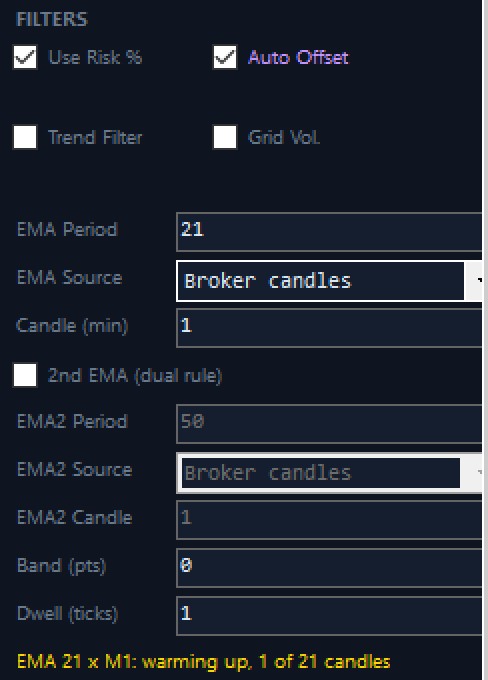
Trade Log
![Fill and close timing, and the STOP line. Each fill now shows "Filled @ <price> | slip X pts vs quote Y before send | send N ms (attempt 1) | total N ms incl. queue N ms", and closes show "[CLOSE EXEC] Broker closed position in N ms (total N ms incl. queue N ms)." Close Trade then STOP now ends with "[MANUAL] Pause complete. The tab is STOPPED: nothing resumes." (2.0.7: "Pause complete. Trading resumed." even on a stopped tab.)](/blog/release-208/02-trade-log-fill-timing-and-stopped-pause-line@2x.png)
![Shared broker session and the disconnect alert. "[MT5] Disconnected this tab. The broker session stays open for N other tab(s) on the same server and account." and, in red, "[ALERT] Disconnected by you: N legs open, in-app stops are not watching (...). Connect Broker again, or manage them in the terminal."](/blog/release-208/05-trade-log-shared-broker-session-and-disconnect-alert@2x.png)
Tip. Running several tabs? Each tab opens its own fast-feed connection, and each London server allows 2 per IP, so spread tabs across Beta and Gamma.