Horizon v2.0.7 release notes

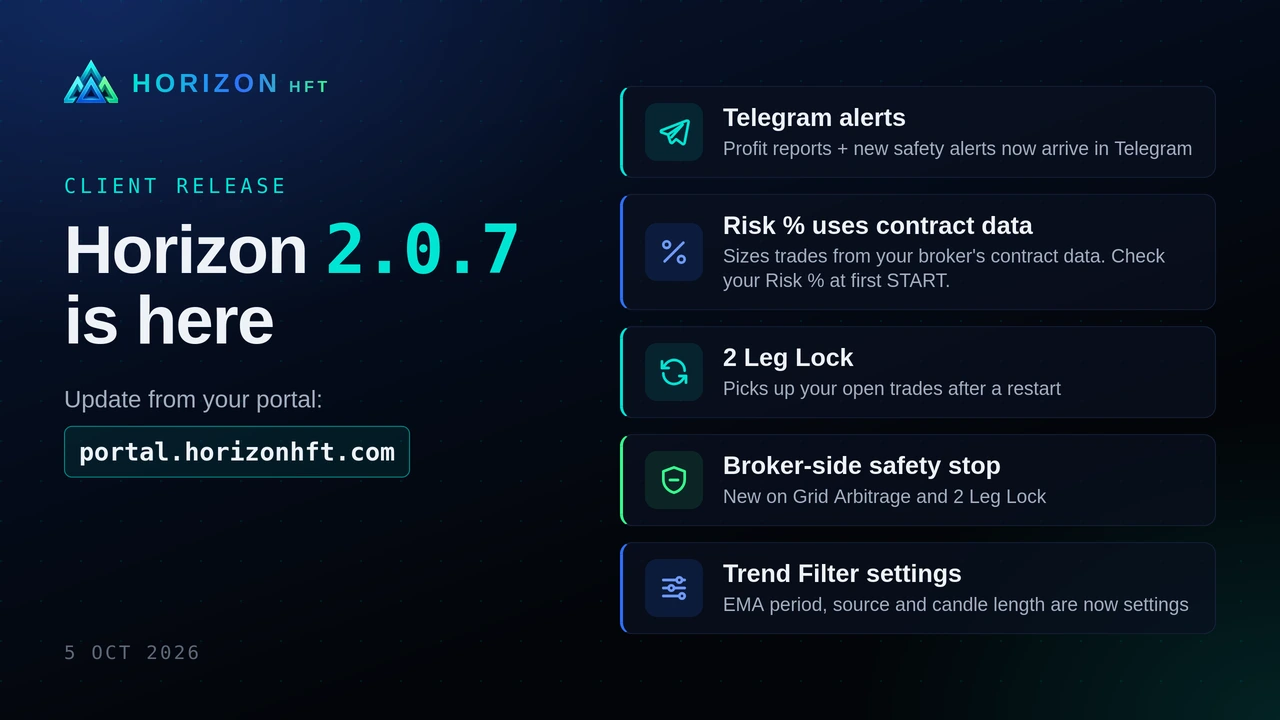
Horizon 2.0.7 is here: Telegram alerts, Risk % from contract data, 2 Leg Lock restart pick-up, broker-side safety stop, Trend Filter settings
  • Risk % now sizes every trade from your broker's own contract data. Sizes can differ a lot from 2.0.5: check your Risk % and the size shown in the log at your first START. Risk % is not available on MT4 or Rithmic (use a fixed Lot Size).
  • Telegram alerts now arrive: the profit report (it never reached Telegram in 2.0.5), plus new alerts when a broker-side safety stop closes a position or is missing, and when your broker's prices freeze.
  • 2 Leg Lock: after a restart, START picks up the trades still open at your broker instead of opening a new pair on top. Close Trade now really cancels the Hedge orders.
  • Grid Arbitrage and 2 Leg Lock: new broker-side safety stop (shown as DISASTER STOP in the log). Grid basket TP/SL, trailing and Max DD now run on every tick. Grid Trigger Gap 0 now turns the gap test off for the first trade: set your Trigger Gap before START.
  • Trend Filter: EMA period, source and candle length are now settings, with an optional second EMA.
  • Timers count correctly in every time zone. BloFin opens and closes wait for BloFin's confirmation.
  • MT4: a close that went through is no longer reported as a close error.

What looks different on screen

Strategy panel

  • The strategy "Order Block Imbalance" is now called "Order Book Imbalance".
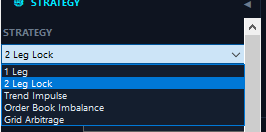
Strategy list. The strategy list now names "Order Book Imbalance" (formerly "Order Block Imbalance"). Profiles saved with the old name still load.
  • Grid Arbitrage has a new field, "Leg 2+ Gap", between "Grid Step" and "Lot Mult" (0 = off).
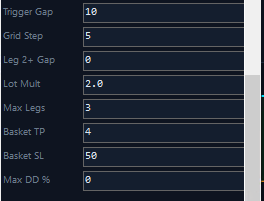
Leg 2+ Gap. Grid Arbitrage has a new "Leg 2+ Gap" field, between "Grid Step" and "Lot Mult". It sets how far your fast feed must lead your broker's price before Horizon adds legs 2 and up, on top of the "Grid Step" spacing; 0 keeps the old behaviour.
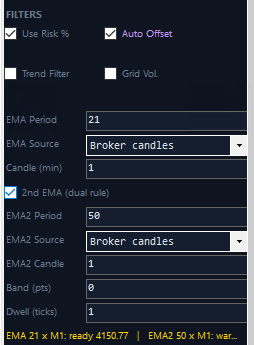
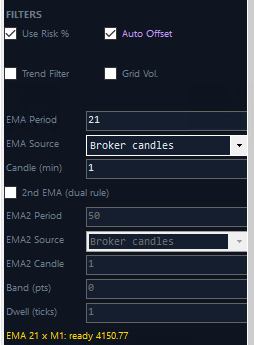
  • There is a new block under Filters for the Trend Filter:
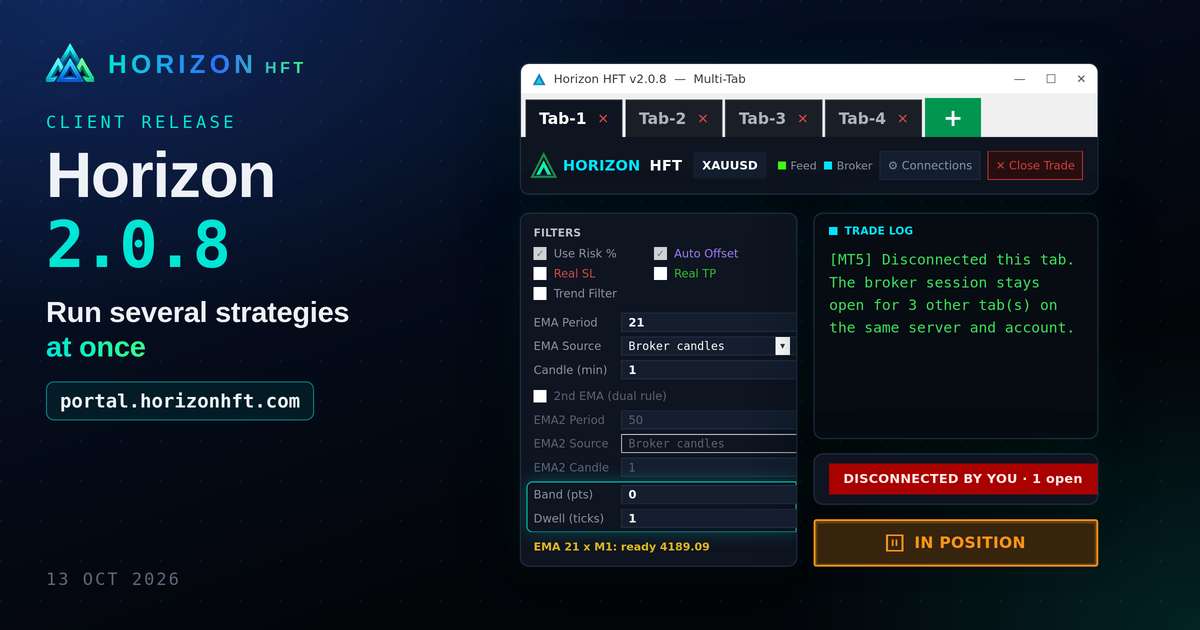
    • "EMA Period", "EMA Source" ("Broker candles" or "Broker ticks") and "Candle (min)";
    • a "2nd EMA (dual rule)" checkbox, which unlocks "EMA2 Period", "EMA2 Source", "EMA2 Candle", "Band (pts)" and "Dwell (ticks)";
    • a gold status line showing whether the EMA is "warming up" or "ready".
    Hover over a field for help.
Trend Filter settings. The new Trend Filter settings under "FILTERS": "EMA Period", "EMA Source" ("Broker candles" or "Broker ticks") and "Candle (min)". The gold line below them shows when the EMA is "ready" to filter trades. (Greyed out on 2 Leg Lock, which doesn't use the Trend Filter.)
2nd EMA (dual rule). Tick "2nd EMA (dual rule)" to add a second, slower EMA. Horizon then trades only when the price is on the same side of both EMAs. "Band (pts)" and "Dwell (ticks)" stop the side from flipping on every small move, and the gold line shows each EMA "warming up" or "ready".
  • There is a new button, "Export (no logins)", under "Load" and "Save".
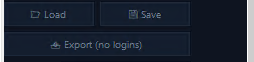
Export (no logins). The new "Export (no logins)" button, under "Load" and "Save", saves a copy of your tab's settings without account logins or passwords, ready to share or back up safely.
  • While a tab is started or has open trades, the strategy list, the broker list and "Load" are locked.

Top bar

  • A red banner at the top right shows "BROKER FROZEN" when your broker's prices stop, and "ENTRIES HALTED" after a disaster stop closes a trade (until you press START).
  • The Feed dot turns orange while the fast feed reconnects.

Feed dot. The top bar shows a coloured dot for each connection: "Feed" (your fast feed) and "Broker". The Feed dot is green when prices flow, and turns orange while the feed reconnects.
  • "Close Trade" stays available after STOP while the tab still has trades or Hedge orders.

Connection Settings

  • Fast Feed > Horizon CFD: a new server is added at the end of the Server list. It isn't available yet.
  • BloFin: Connect and Disconnect are refused while the tab is started or has trades.

Messages

  • Closing a tab, or Horizon itself, while a BloFin tab is live now asks you first, with "No" as the default.
  • START now explains why it refuses: Risk % can't size the trade, a BloFin position the tab isn't managing, or Grid Arbitrage or 2 Leg Lock on BloFin.
  • New log lines: "DISASTER STOP CLOSED", "DISASTER STOP MISSING", "BROKER FROZEN", "[Risk %] Trade size: …", and after a restart in 2 Leg Lock "… is open at the broker at START … now tracked as a leg".

No buttons or fields were removed.
Filed under Release notesShare XLinkedIn

See it in the software

See what Horizon software does, which platforms it runs on, and how to get it.